


Introduction
If you want to improve your blog’s visibility on search engines, one of the most powerful yet often ignored techniques is a strong internal linking strategy for blog SEO. Many beginners focus only on backlinks, keywords, or content writing, but they forget how important it is to connect their own pages properly. Internal links help search engines understand your website structure, and they guide readers to relevant content, keeping them engaged for longer.
In simple words, internal linking means linking one page of your blog to another page on the same website. When done correctly, it builds a clear path for both users and search engines. This not only improves rankings but also enhances user experience, which is a key factor in modern SEO.
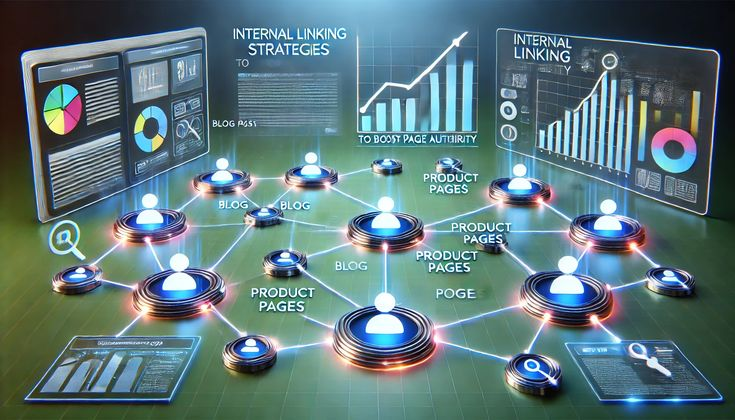
Moreover, a smart internal linking strategy for blog SEO can distribute authority across your site. For example, if one of your blog posts is already ranking well, linking it to newer posts can help them gain visibility faster. As a result, your entire website becomes stronger in search engine results.
In this guide, you will learn everything step by step. Whether you are a beginner or have some experience, this article will help you build a practical and effective internal linking system for long-term SEO success.
What is Internal Linking Strategy for Blog SEO?
An internal linking strategy for blog SEO is a planned way of connecting different pages within your website using hyperlinks. These links guide visitors from one page to another while also helping search engines crawl and index your content more efficiently.
Instead of randomly adding links, a strategy ensures that every link has a purpose. For example, you may link a beginner guide to a more advanced article, or connect related topics to keep users exploring your blog.
Internal links usually appear in:
- Blog content
- Navigation menus
- Sidebar sections
- Footer links
For instance, if you write an article about keyword research, you can link it to another post about on-page SEO. This creates a content network that improves both usability and search performance.
In short, internal linking is not just about adding links. It is about building a structure that makes your website easy to understand and navigate.
Why is Internal Linking Strategy for Blog SEO Important?
A well-planned internal linking strategy for blog SEO plays a major role in improving your website’s overall performance. It benefits both search engines and users in several ways.
First, it helps search engines crawl your website. When bots visit your site, they follow links to discover new pages. Without proper internal links, some pages may remain hidden and never get indexed.
Second, it improves ranking potential. Internal links pass authority from one page to another. This means your strong pages can support weaker ones and boost their chances of ranking.
Third, it enhances user experience. When readers find useful links within your content, they are more likely to stay longer and explore more pages.
Additionally, it reduces bounce rate. If users click on multiple links, they engage more with your content instead of leaving quickly.
Finally, it creates a clear site structure. A good structure makes it easier for both users and search engines to understand your content hierarchy.
Detailed Step-by-Step Guide
Step 1: Plan Your Site Structure
Before adding links, you need a clear structure. Think of your website like a pyramid.
At the top, you have your main pages. Below that, you have category pages, and then individual blog posts.
This structure ensures that every page is connected logically. It also helps search engines understand which pages are most important.
Step 2: Identify Important Pages

Next, find your key pages. These are usually:
- High traffic posts
- Cornerstone content
- Important landing pages
You should link to these pages more often because they carry more value.
Step 3: Use Relevant Anchor Text
Anchor text is the clickable text of a link. It should clearly describe the linked page.
For example:
Instead of writing “click here,” use “learn keyword research basics.”
This improves both SEO and user experience.
Step 4: Link Contextually Within Content
Always place links naturally within your content. Do not force them.
For example, if you mention a related topic, link it immediately. This makes the content more useful for readers.
Step 5: Maintain a Logical Flow
Links should follow a logical path. A beginner article should link to intermediate content, and then to advanced topics.
This keeps users moving smoothly through your blog.
Step 6: Avoid Over-Linking
Too many links can confuse readers and reduce SEO value.
A good practice is to add links only where they are helpful and relevant.
Step 7: Update Old Content
Go back to your old posts and add links to newer content.
This keeps your blog fresh and ensures that all pages stay connected.
Step 8: Use Navigation and Footer Links
Apart from content links, use menus and footers to highlight important pages.
This improves accessibility and user experience.
Benefits of Internal Linking Strategy for Blog SEO
- Improves website crawlability
- Helps search engines index pages faster
- Distributes page authority across your site
- Boosts ranking potential for new content
- Enhances user experience and engagement
- Reduces bounce rate
- Increases average time on site
- Strengthens overall site structure
Disadvantages / Risks
- Over-linking can confuse readers
- Poor anchor text may harm SEO
- Linking irrelevant pages reduces value
- Broken links can affect user experience
- Incorrect structure may mislead search engines
Common Mistakes to Avoid
One common mistake is using too many links in a single paragraph. This makes the content hard to read and reduces clarity.
Another mistake is using generic anchor text like “click here.” This does not provide any useful information to users or search engines.
Some bloggers also ignore older content. They keep publishing new posts but never update old ones with fresh links.
Additionally, linking unrelated pages is a big error. Every link should have a clear connection to the topic.
Finally, not checking for broken links can harm your SEO. Always ensure that all links are working properly.
FAQs
What is an internal linking strategy for blog SEO?
It is a method of connecting your blog pages using links to improve navigation, user experience, and search engine rankings.
How many internal links should I add per post?
There is no fixed number, but 3 to 8 relevant links per post is a good starting point.
Do internal links help SEO?
Yes, they help search engines understand your site and improve ranking potential.
What is anchor text in internal linking?
Anchor text is the clickable text used in a hyperlink. It should describe the linked page clearly.
Can too many internal links hurt SEO?
Yes, excessive linking can confuse users and reduce the value of each link.
How often should I update internal links?
You should review and update links regularly, especially when publishing new content.
Expert Tips & Bonus Points
Focus on quality over quantity when adding links. A few relevant links are better than many unnecessary ones.
Use descriptive anchor text that matches user intent. This improves both SEO and readability.
Create cornerstone content and link to it frequently. These pages should represent your most valuable information.
Also, use analytics tools to track user behavior. This helps you understand which links are working best.
Another useful tip is to build topic clusters. Group related articles together and link them properly.
Finally, always think from the reader’s perspective. Ask yourself if the link adds value to the content.
Conclusion
A well-planned internal linking strategy for blog SEO is essential for building a strong and successful website. It not only helps search engines understand your content but also improves the overall experience for your readers. When your pages are properly connected, users can easily find the information they need, and this increases engagement on your site.
Moreover, internal linking allows you to distribute authority across your website. This means your important pages can support new or less visible content. As a result, your chances of ranking higher in search results improve significantly.
However, it is important to use internal links wisely. Avoid over-linking, use clear anchor text, and always focus on relevance. A simple and clean structure is always more effective than a complex one.
In the long run, consistency is the key. Keep updating your old posts, add links to new content, and maintain a logical structure. With time, your blog will become more organized, user-friendly, and SEO-optimized.
If you follow the steps and tips shared in this guide, you will be able to create a powerful internal linking system that supports your blog’s growth and success.
